 Perdon Trend
The short answer. The I'm so sorry trend with your dog or cat is the pet version of TikTok's perdon trend photo carousel: slide 1 is an AI-perfect version of your pet (show grooming, a big bow, a velvet bed, a proud pose), each next slide takes one of those lies back, and the last slide is your real pet with "I'm so sorry". You can make it by hand with an AI photo editor, or from one pet photo on Perdon Trend, whose Pet style makes every slide with its caption in about 2 minutes, from $4.99.
Updated October 24, 2026.
What the pet version looks like
The pet posts follow the same order as every post of the trend. The first slide shows the dream version of your pet, the middle slides own up to one upgrade each, and the last slide is the real photo:
- Slide 1: the pet as it would look at a pro photo shoot, with an opener such as "this is my dog posing".
- Middle slides: the same photo, one upgrade fewer each time, with a line that confesses it: "ok i lied, he's not that fluffy".
- Last slide: the real photo, with "I'm so sorry" alone.
The pet version is one of the variants we found under the Spanish trend del perdón, next to childhood photos, Halloween costumes, sports photos and friends. The sites made for the trend offer it too: one has its own Pet and Pet costume templates, and the others say a pet photo works as well as a person.
What the pet posts take back
The Spanish pet post we read slide by slide, posted from Mexico on October 20, 2026, opens with "Esta es mi perrita princesa" ("this is my little princess dog") over an AI version of a chihuahua, black and wearing a collar. Each slide then takes one lie back: the fur goes back to its real beige, the collar comes off, and the dog gets older, until the real photo. It ends on a dark joke.
That is the shape to copy: the lies are things anyone can see in the photo. In the 10 new posts we read slide by slide, a pet's fur color, collar and age were taken back 3 times, all in that one pet post; hair was taken back most often overall, in 7 of the 10. For a pet, the fur is its hair.
Making it with your pet on Perdon Trend
On Perdon Trend pick the Pet style. It has four lies, each one a slide, taken back in this order:
- Show grooming: fluffy, long, brushed and shiny fur, like a champion show dog.
- Big bow: a big satin bow.
- Fancy bed: a velvet pet bed in the same spot, the room around it unchanged.
- Elegant pose: sitting up proud, looking at the camera.
Tick up to 4 of them for up to 5 slides. Every slide is asked to keep your pet's breed, colors and markings and the same camera angle, so it still looks like your pet. The last lie you tick is taken back by the real photo without a line, as in the posts.
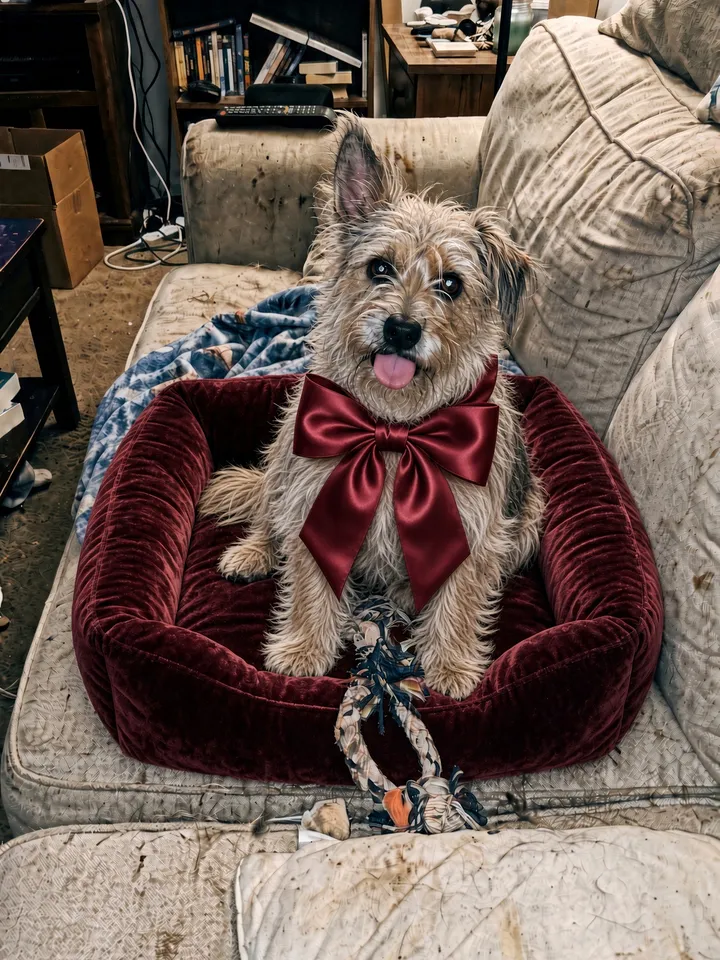
1. this is my dog posing
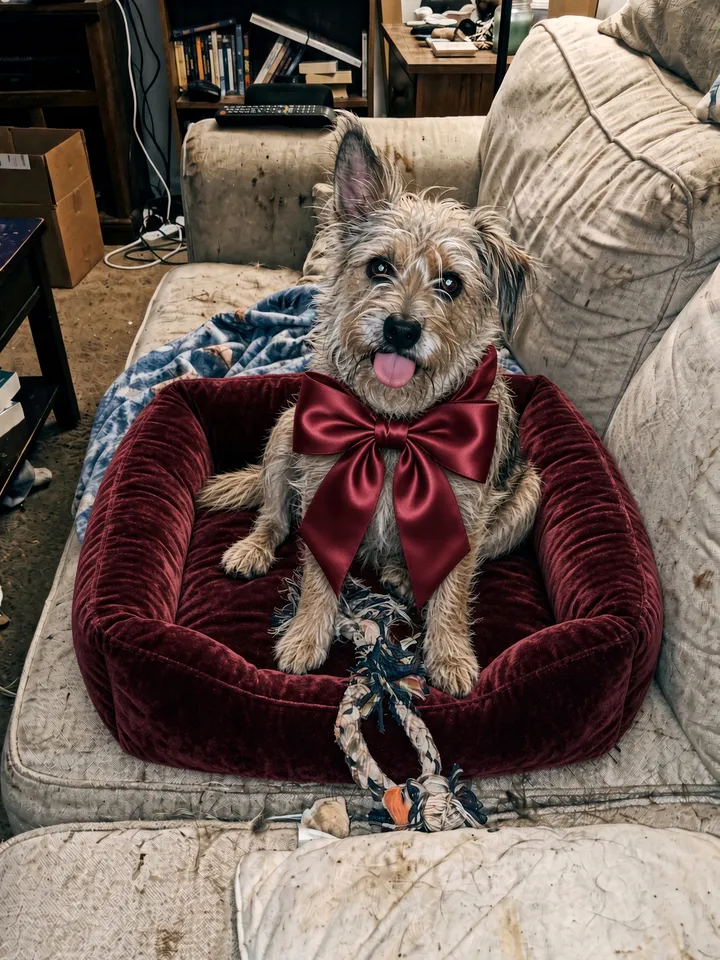
2. ok i lied, he's not that fluffy
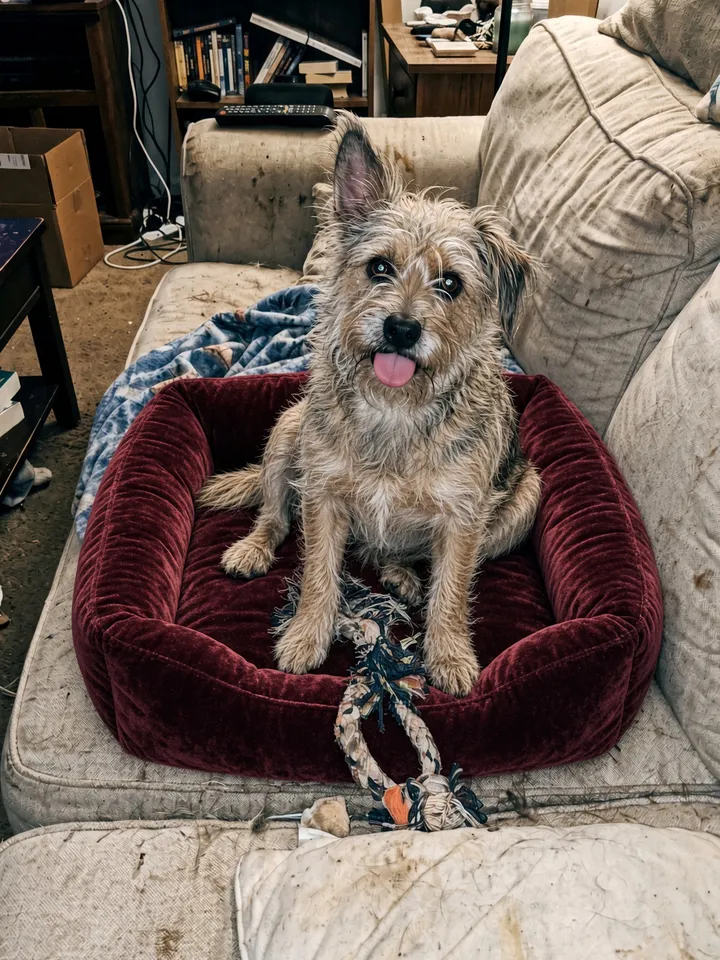
3. he doesn't wear bows either
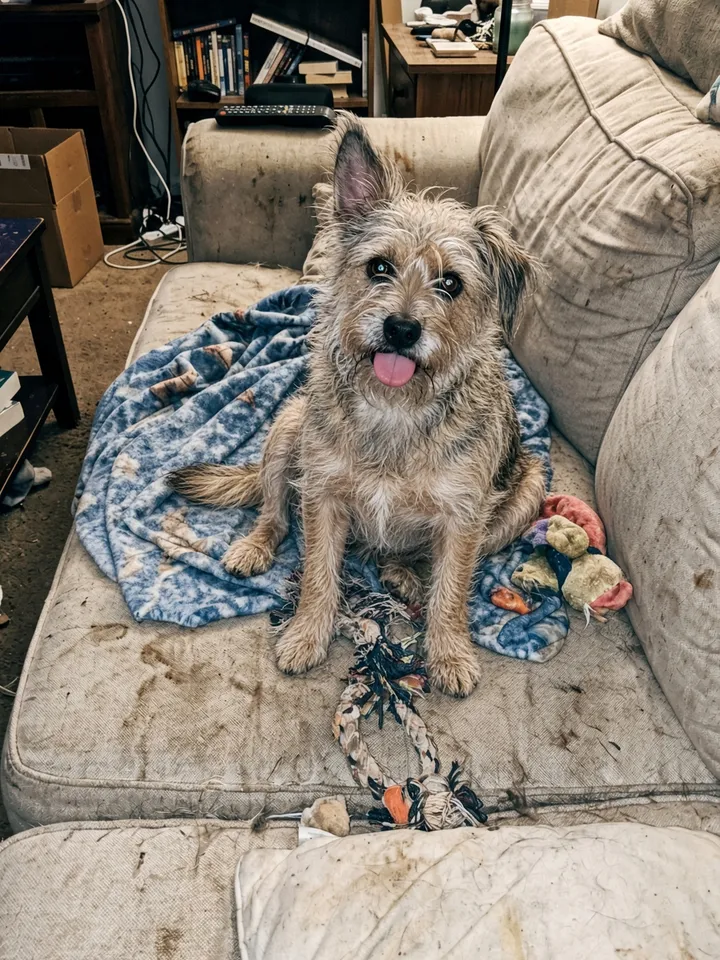
4. and his bed isn't that nice
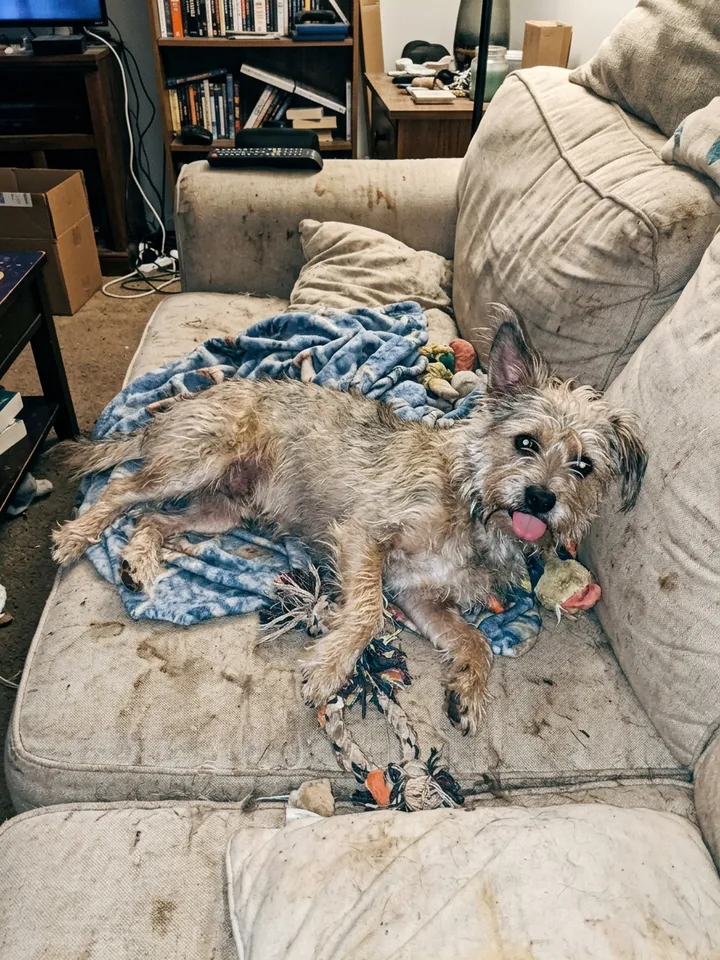
5. i'm so sorry
The preset lines say "my dog" and "he". For a cat, or a female pet, open the finished set and tap "✎ Edit the words on your slides": the edit page lets you rewrite every line but the last and move each one up or down the slide, then save again with no new credits.
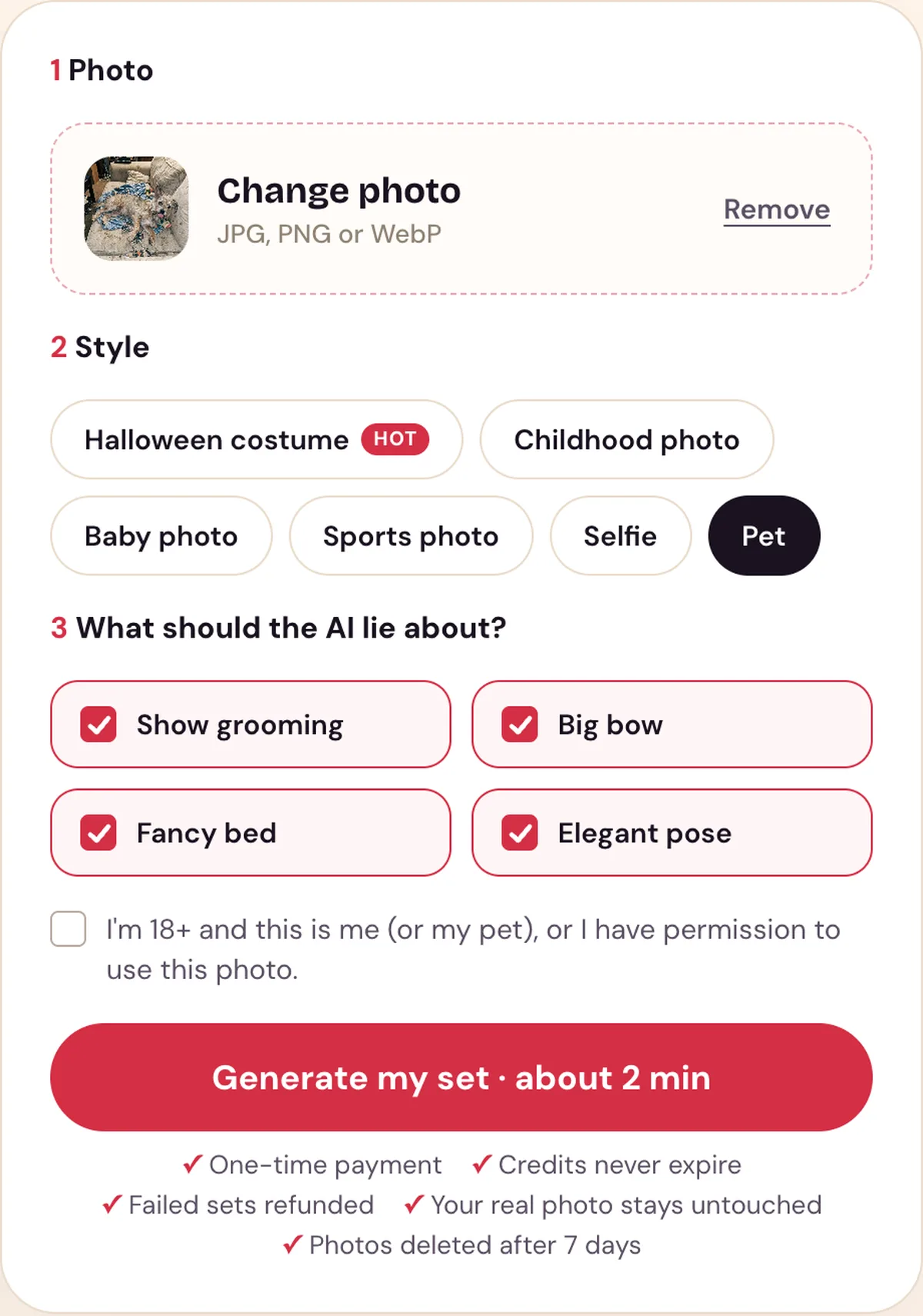
The Pet style with its lies ticked. The dog in the photo is an AI-made test photo.
Which pet photo works best
- One pet, easy to see. A clear photo with the pet's face visible, at least 300 pixels on the short side, in JPG, PNG or WebP.
- An ordinary moment. The real photo is the punchline. A dog flat out on a messy sofa makes a bigger gap with the velvet-bed version than a photo that already looks good.
- Your own pet. Use a photo of your own pet or one you have permission to use.
Our Halloween costume style is made for people, so it is not the one for a pet in a costume; use the Pet style.
Making it by hand
Without a tool made for the trend, you need an AI photo editor that changes a photo from a text request, and TikTok's text tool:
- Upload your pet photo and ask for one upgrade only, such as a big bow. Ask it to keep the same pet, breed, fur colors and markings, and the same camera angle.
- Ask for the next upgrade on the picture it just made, and repeat until every lie is on.
- Put the pictures in reverse: the one with every lie is slide 1, your real photo last.
- Add the captions on each slide with TikTok's text tool.
The full steps, and what tends to go wrong, are in how to do the I'm so sorry trend.
Posting it
Save the slides to your phone. In the TikTok app tap +, then Upload, then Photos, pick the slides in order from slide 1 to the real photo, and add the trend's sound. English posts mostly use "original sound - secret"; Spanish posts use a Harrison guitar sound. Our slides have no sound, so you add it in TikTok. For lines to use, see the I'm so sorry trend captions. For other photos to try, see which photo to use.
Use it responsibly
- Use a photo of your own pet, or one you have permission to use; you must be 18 or older to use our tool.
- Uploaded photos are deleted after 7 days and are used only to make your set.
- Perdon Trend is not affiliated with TikTok or with the creators of the trend's posts and sounds.
Questions people ask
- Can you do the I'm so sorry trend with a dog?
- Yes. The pet version is one of the trend's branches: slide 1 is an AI-perfect version of your dog, each next slide takes one upgrade back, and the last slide is the real photo with "I'm so sorry".
- What do pet posts take back?
- In the Spanish pet post we read slide by slide, the slides took back the fur color, then the collar, then the age. On Perdon Trend the Pet style takes back show grooming, a big bow, a fancy bed and an elegant pose.
- Does it work with a cat?
- Yes. The Pet style is written for any pet and keeps its breed, colors and markings. Its preset lines say "my dog" and "he", so for a cat rewrite them on the edit page after the set is made.
- Can I put my pet in a Halloween costume?
- Our Halloween costume style is made for people. For a pet, use the Pet style; one of the sites made for the trend offers a separate pet costume template.
Make your pet's I'm so sorry set from one photo.