 Perdon Trend
The short answer. To do the I'm so sorry trend, you post a TikTok photo carousel made from one real photo: slide 1 is an AI-perfected version of it, each next slide takes one "lie" back with a line like "Ok sorry, I wasn't blonde", and the last slide is the real photo captioned "I'm so sorry". You can build it by hand, editing the photo once per slide in an AI photo editor and typing each caption in TikTok, or you can make the whole set from one photo on Perdon Trend, where every slide comes back with its caption on it in about 2 minutes, from $2.99 paid once. Do it by hand if you want full control over every edit; use a tool if you want the finished slides without the back and forth.
Updated October 22, 2026.
What the finished carousel looks like
The trend is the same joke in Spanish ("perdón", the perdon trend) and in English ("I'm so sorry"). In the posts we read, the slides follow one pattern:
- Slide 1: the AI version of the photo with an opener, such as "This is me as a little girl" or "When I was little I was a princess for Halloween".
- Middle slides: the same photo with one fix undone each time, and a line that owns up to it: "Ok sorry, I had yellow hair", "Ok sorry, I never had a dress". Hair is the lie taken back most often: 7 of the 10 new posts we read slide by slide.
- Last slide: the real photo, captioned "I'm so sorry".
Most posts have 4 slides; 5 is the next most common. In English, many are childhood Halloween costumes ("I'm so sorry I lied"); childhood photos, sports photos and pets come up too.
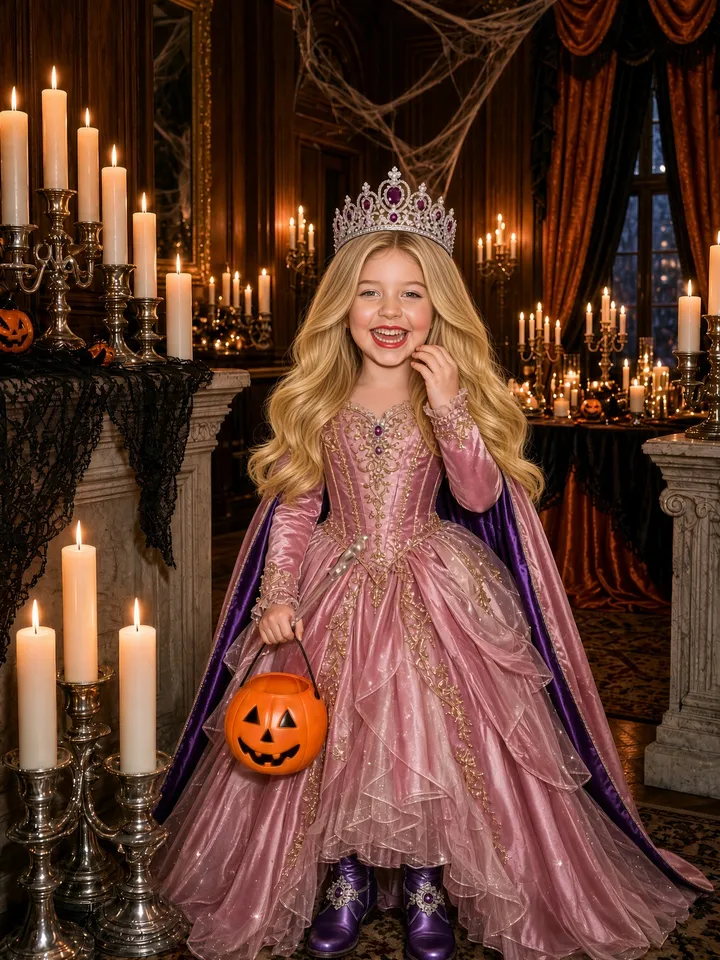
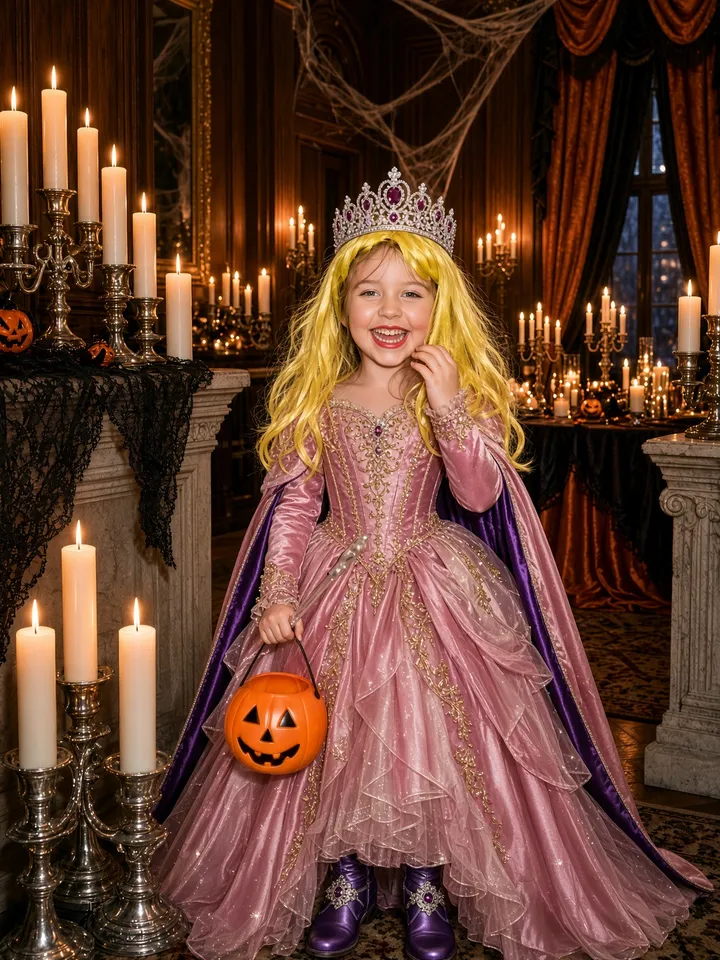
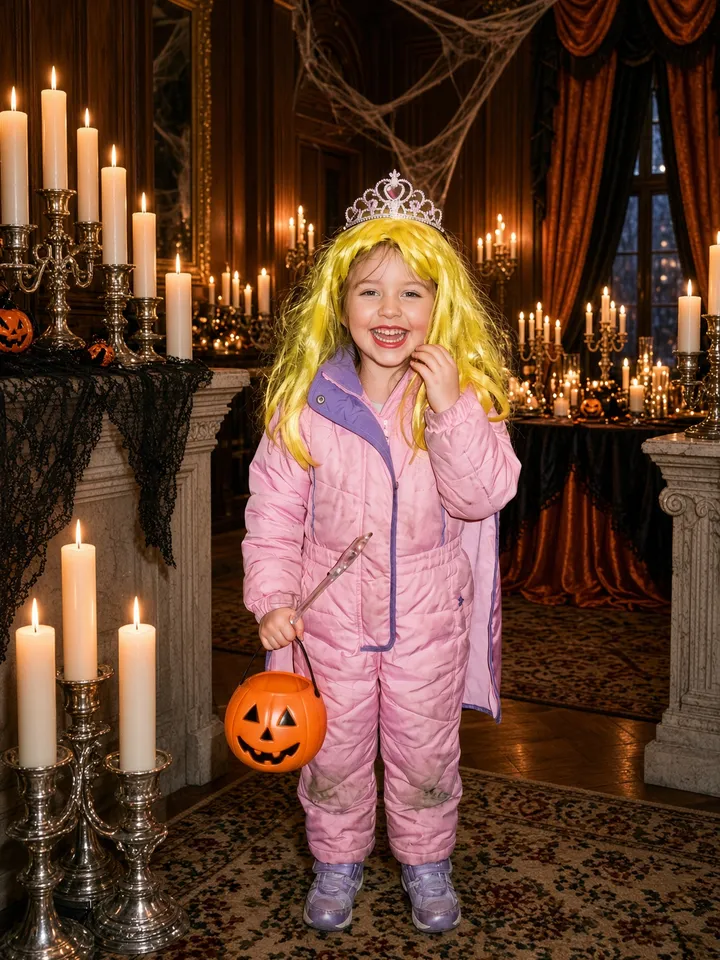
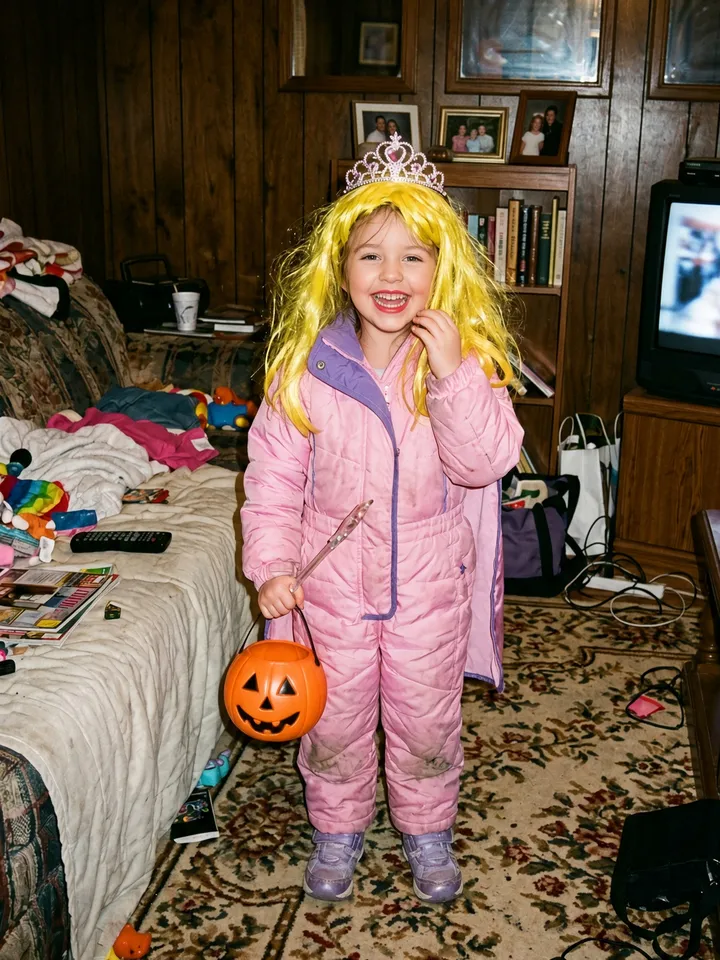
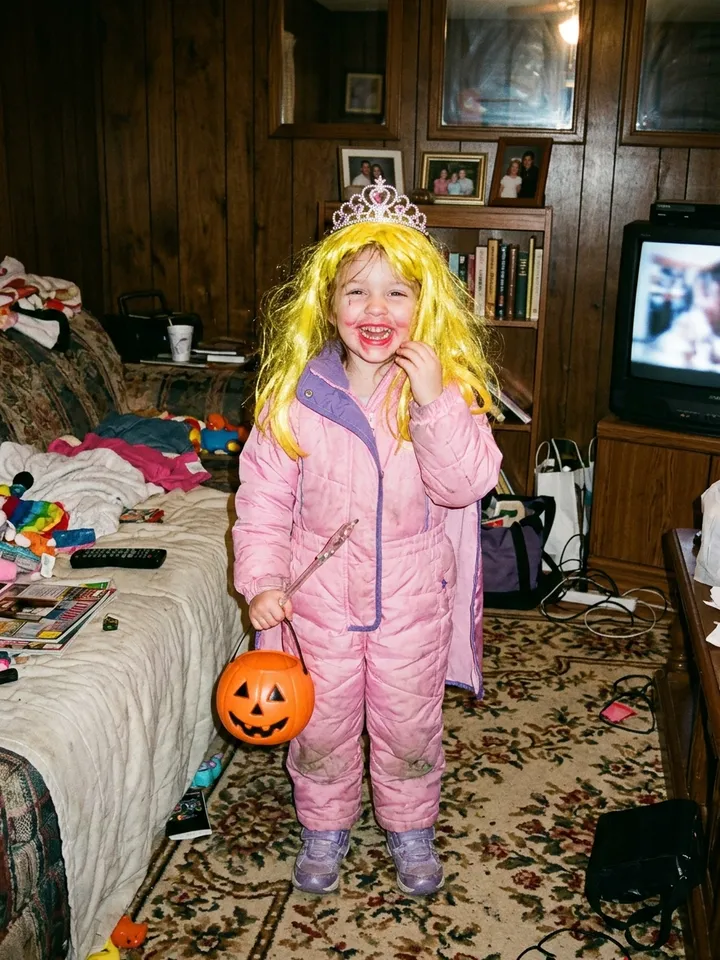
A Halloween costume set from our tool: wig, costume, party and makeup are the four lies, taken back one slide at a time. The pictures here are shown without captions; it starts from an AI-made test photo, not a real child.
Way 1: one photo on a site made for the trend
This is the way with the least work. On Perdon Trend:
- Upload one photo. A clear photo of one person or one pet, face easy to see. JPG, PNG or WebP, at least 300 pixels on the short side.
- Pick a style and the lies. The styles are Halloween costume, Childhood photo, Sports photo, Selfie and Pet. Each lie you tick, such as a perfect wig, blonde hair or a fancy house, becomes one slide, up to 4 lies and 5 slides.
- Press Generate. The slides are made one after another from your photo, so a set takes about 2 minutes. You can leave the page; the set waits for you. Each slide comes back with a preset line in the trend's own wording ("ok i lied, …", "… either").
- Change the words if you like. On the finished set, tap "✎ Edit the words on your slides". The edit page lets you rewrite each line and move it up or down the slide, then save again with no new credits. The last slide is your real photo and always says "i'm so sorry".
- Save the slides. Each one is a 1080 × 1440 JPEG with its caption already on it.
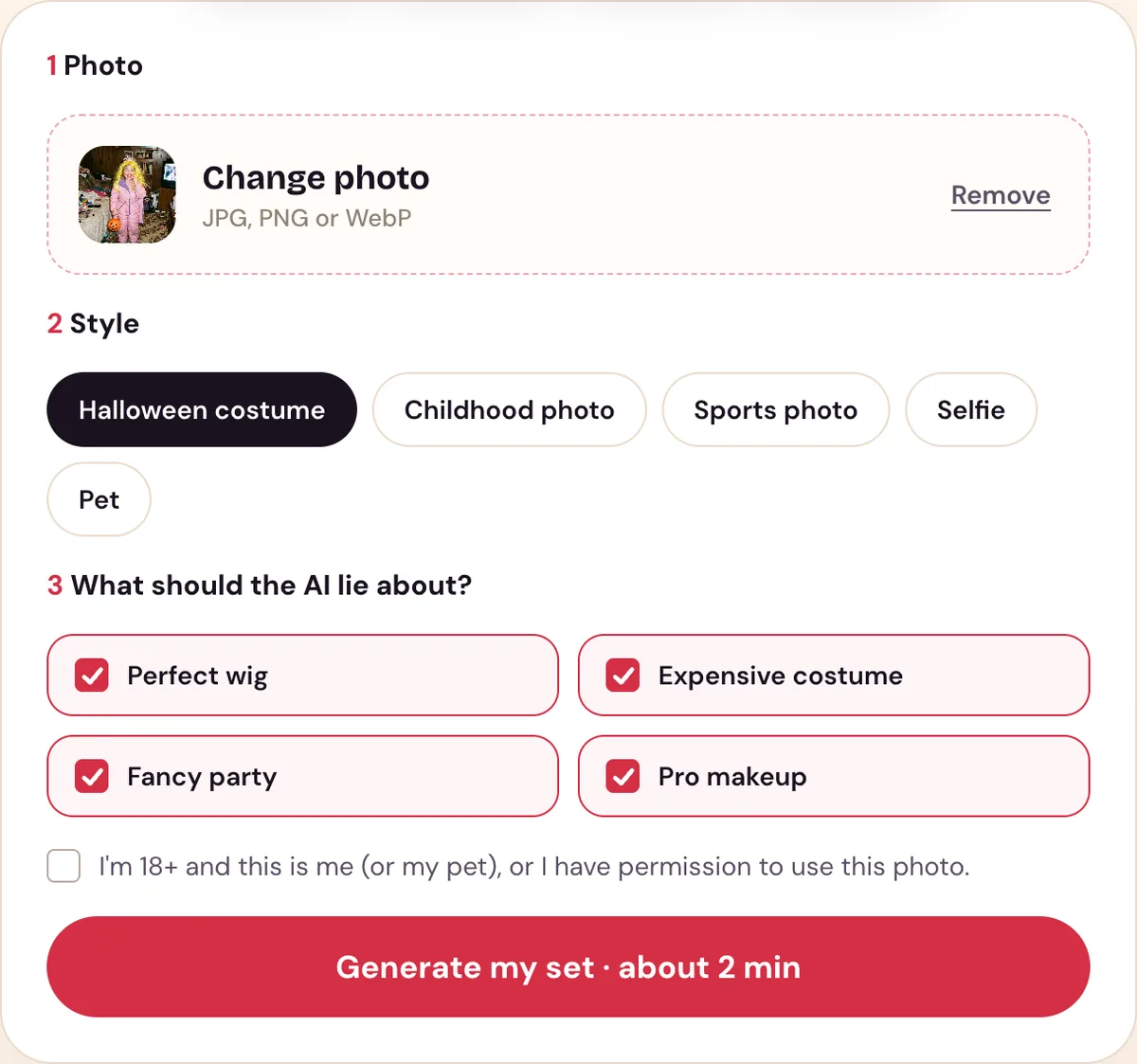
Our tool after uploading a photo: Halloween costume picked, four lies ticked, one slide each.
It is paid once, with no subscription and no free trial: 1 set for $2.99, 3 sets for $5.99, and 8 sets for $9.99. The tools compared lists what other sites make and charge.
Way 2: by hand, with an AI photo editor and TikTok's text tool
The trend's TikTok tutorials point to photo apps and templates: on TikTok's "trend del perdón" page, titles name CapCut and Hypic, and some offer ChatGPT prompts. We have not followed those tutorials step by step, so here is the general way to do it with any AI editor that changes a photo from a text request:
- Add one lie to your real photo. Upload your photo and ask for one change only, such as a perfect wig. Ask it to keep the same person, pose and camera angle.
- Add the next lie to that picture. Ask for one more change on the picture it just made, not on your original, and repeat until every lie is on. Adding one thing at a time keeps the rest of the picture still; in our tests, asking it to undo a change made the whole picture drift.
- Save every picture and put them in reverse. The picture with every lie is slide 1, then each picture before it, and your real photo last. Each slide now takes one lie back.
- Add the captions in TikTok. Use TikTok's text tool on each slide: the opener on slide 1, an "Ok sorry, …" line on each middle slide, "I'm so sorry" on the last.
What tends to go wrong, from our own tests: when each slide is made separately, the background changes from slide to slide, while in the real posts it stays put. Editing each slide from the one before keeps the rest of the picture still. Handing the editor your original photo as a reference can also make it copy the whole photo back instead of undoing one thing.
A prompt you can copy
This is the prompt our tool sends for each slide, word for word, with the one change left blank. Paste it into a chat AI that edits photos, such as ChatGPT or Gemini, attach your photo the first time, and swap the blank for one change from the list. For the next slide, paste it again with the next change and ask it to edit the picture it just made. We wrote it for our own tool and have not tested it in every chat app.
Edit this photo. Keep the same person: the face must still be recognizable as them, the same age and the same body. You may widen the framing a little to show the upper body so the costume shows. Photorealistic. No text, no captions, no watermark, no frame. Change only this one thing, clearly and visibly: [ONE CHANGE FROM THE LIST BELOW]. Do not redraw anything else: every face, pose, object and the background stay exactly as they are in the image. Add no other person, animal or object.
- Perfect wig:
the hair becomes the signature hairstyle of {character}, perfectly styled like a movie wig - Expensive costume:
they wear an expensive, movie-quality Halloween costume of {character} that is instantly recognizable (if they already wear a costume, it becomes this movie-quality version), with real fabrics, fine details and the character's signature accessories - Fancy party:
the background becomes a lavish, beautifully lit Halloween party with carved pumpkins, candles, cobwebs and decorations, with nobody else in it - Pro makeup:
they wear full, professional Halloween makeup of {character}
The list is the Halloween costume set. For another photo, write your own change the same way, one visible thing per prompt, such as "the hair becomes long, glossy, golden blonde curls".
How to post it on TikTok
- Save the slides to your phone.
- In the TikTok app, tap +, then Upload, then Photos.
- Pick the slides in order, from 1 to the last one. The order you tap is the order they play.
- Add the sound in TikTok. English posts mostly use "original sound - secret"; Spanish posts use a Harrison guitar sound. Our slides have no sound, so you add it here.
Tips for a funnier set
- Pick an ordinary photo. Messy everyday photos work best: the bigger the gap between your photo and the AI version, the bigger the laugh on the last slide.
- Lie about things people can see. Hair, outfits, poses, makeup and the room behind you are what the posts we read take back.
- Keep it short. Three or four lies make a 4- or 5-slide post, the length most posts have.
- Save the worst for last. The last slide is the punchline, so the real photo should be the least flattering.
Use it responsibly
- Use a photo of yourself or your own pet, or a photo you have permission to use, and be 18 or older. On our site you confirm both in a checkbox before generating.
- Don't use photos of celebrities, even though some fan versions do.
- Uploaded photos are deleted after 7 days and are used only to make your set.
- Perdon Trend is not affiliated with TikTok or with the creators of the trend's posts and sounds.
Questions people ask
- Is there a free way to do the I'm so sorry trend?
- By hand, yes: an AI photo editor and the prompt above cost only what your editor charges. Some sites built for the trend give new accounts a few free credits; ours sells one-time packs with no free trial.
- Do I need an app to do the I'm so sorry trend?
- Not to make the slides: our tool runs in the browser. You need the TikTok app to post them, because a photo carousel is posted from the app with +, then Upload, then Photos.
- How many slides should the post have?
- Most posts we read have 4 slides, and 5 is the next most common: the AI version, two or three slides that each take one lie back, and the real photo.
- Which sound do people use?
- English posts mostly use "original sound - secret"; Spanish posts use a Harrison guitar sound. Add it in TikTok when you post.
Ready to try it? Make your I'm so sorry set from one photo.