 Perdon Trend
The short answer. The I'm so sorry trend with a postpartum photo is the delivery-room version of TikTok's perdon trend photo carousel: slide 1 is an AI glam version of the photo from right after giving birth (salon hair, full makeup, a silk robe, a luxury suite), each next slide takes one of those lies back, and the last slide is the real, exhausted hospital photo with "I'm so sorry". You can make it by hand with an AI photo editor, or from one photo on Perdon Trend, whose Postpartum photo style makes every slide with its caption in about 2 minutes, from $4.99.
Updated October 28, 2026.
What the postpartum version looks like
It follows the same order as every post of the trend:
- Slide 1: the new mom as a magazine would have shot her, with an opener such as "this was me right after giving birth".
- Middle slides: the same photo, one upgrade fewer each time, with a line that confesses it: "ok i lied, i had no makeup on".
- Last slide: the real photo from the hospital bed, with "I'm so sorry" alone.
Yahoo's piece on the trend of October 27, 2026 names postpartum snaps among the photos people use, next to school portraits and baby pictures. It quotes one mom, Melissa Connelly, who used a photo from after an emergency C-section with the caption "Why is this trend SO HUMBLING?!?". Brazilian posts under #trenddesculpa have delivery-room photos too, such as "Essa era eu durante o expulsivo no meu parto" (this was me during labor).
Why it lands
A photo from the first hours after birth is the most real photo most parents own: no sleep, a hospital gown, a plastic bracelet, a room full of equipment. Putting a full-glam version first makes the last slide funnier and kinder at the same time. The joke is the glam, not the body, so our style never changes the body: no slimmer waist, no flat belly.
Making it on Perdon Trend
On Perdon Trend pick the Postpartum photo style. It has four lies, each one a slide, taken back in this order:
- Salon hair: neat, glossy, salon-styled hair.
- Full glam: flawless makeup, looking fresh and rested.
- Designer robe: an elegant silk robe instead of the hospital gown.
- Luxury suite: a softly lit private suite with fresh flowers, nobody else added.
Tick up to 4 of them for up to 5 slides. Every slide is asked to keep the same people, the baby included, and the same camera angle. The last lie you tick is taken back by the real photo without a line, as in the posts.
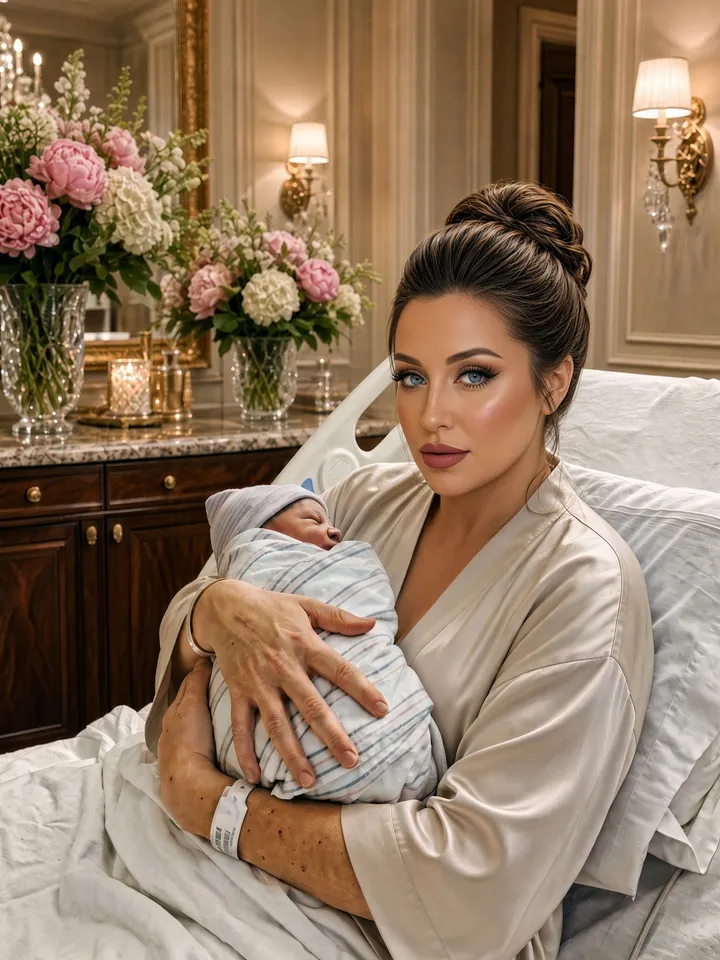
1. this was me right after giving birth

2. ok i lied, my hair never looked like that
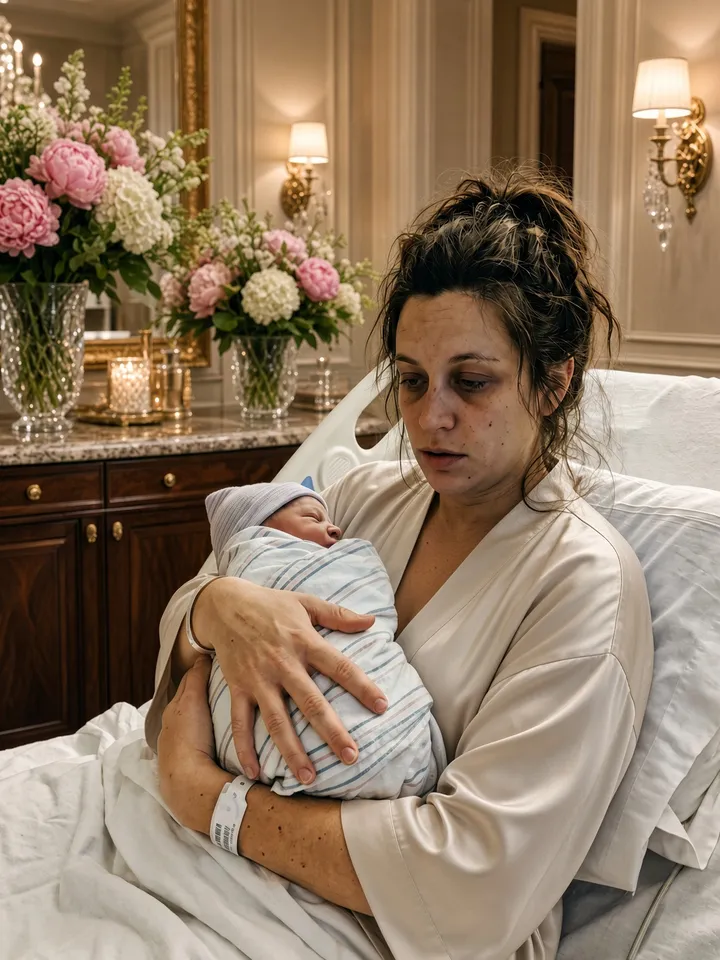
3. and i had no makeup on
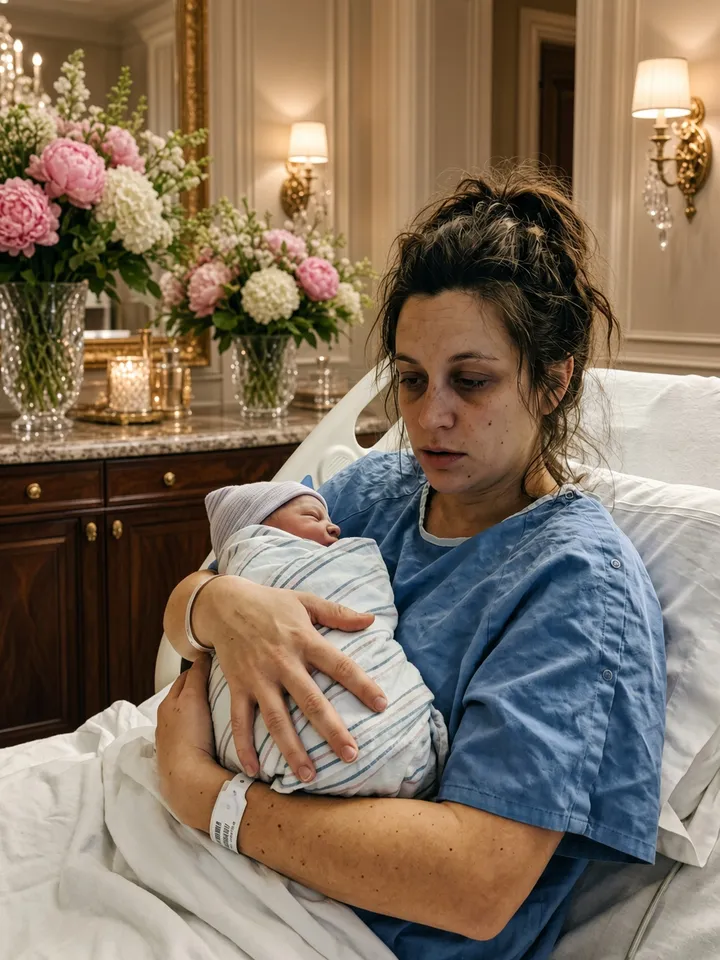
4. that robe wasn't mine either
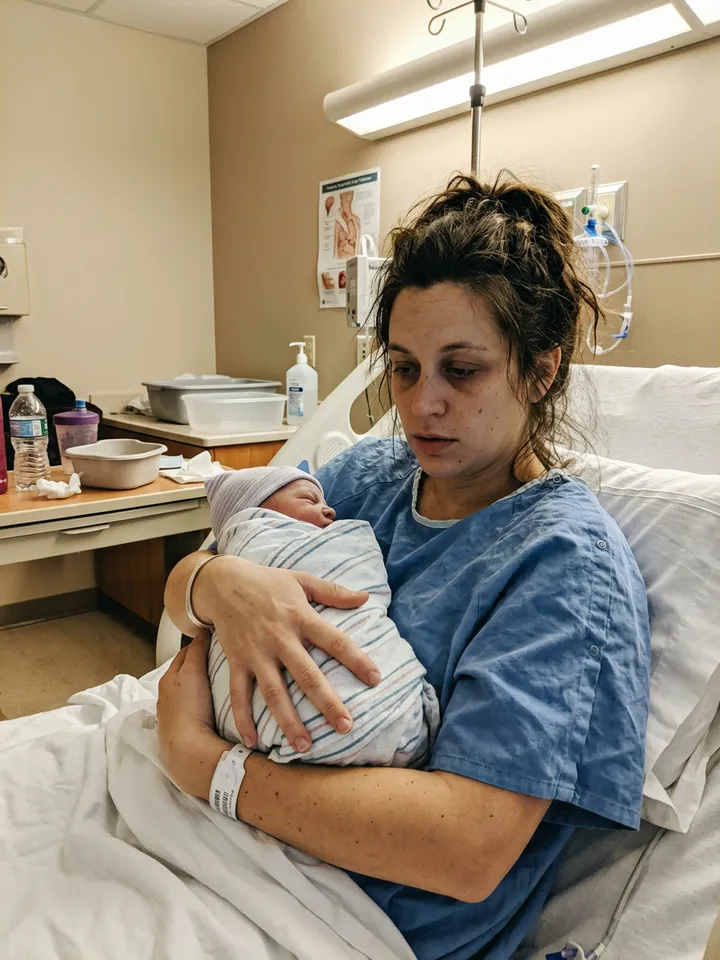
5. i'm so sorry
To change a line, open the finished set and tap "✎ Edit the words on your slides": you can rewrite every line but the last and move each one up or down the slide, then save again with no new credits.
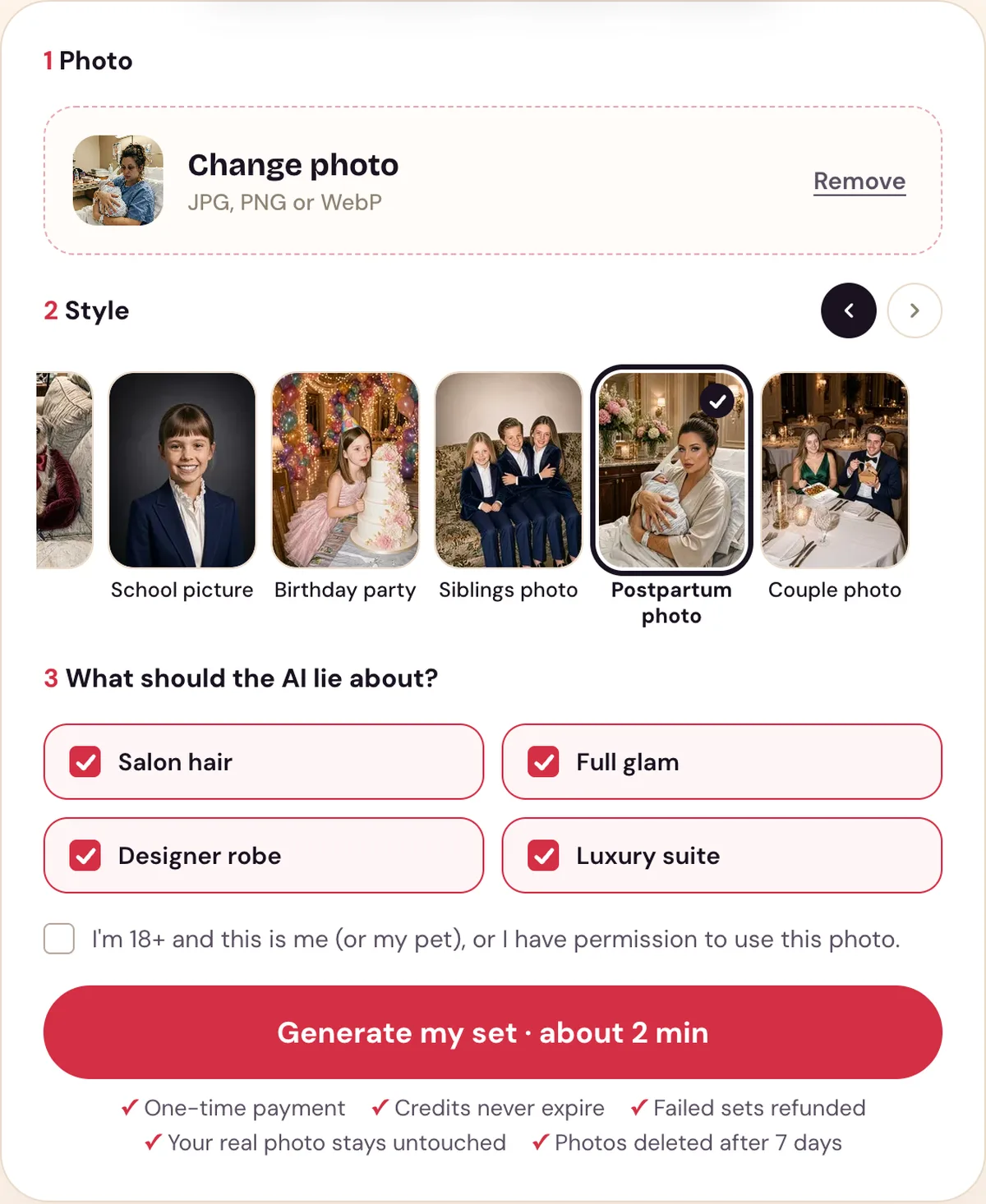
The Postpartum photo style with its lies ticked. The photo is an AI-made test photo.
Which photo works best
- You and the baby, easy to see. A clear photo with your face visible, at least 300 pixels on the short side, in JPG, PNG or WebP.
- The real first hours. The gown, the bracelet and the equipment make the last slide.
- Your own photo. Use a photo of yourself; other people in it, like a partner, should be fine with it being posted.
Making it by hand
Without a tool made for the trend, you need an AI photo editor that changes a photo from a text request, and TikTok's text tool:
- Upload the photo and ask for one upgrade only, such as salon hair. Ask it to keep the same people, the baby and your body unchanged, and the same camera angle.
- Ask for the next upgrade on the picture it just made, and repeat until every lie is on.
- Put the pictures in reverse: the one with every lie is slide 1, your real photo last.
- Add the captions on each slide with TikTok's text tool.
The full steps are in how to do the I'm so sorry trend.
Posting it
Save the slides to your phone. In the TikTok app tap +, then Upload, then Photos, pick the slides in order from slide 1 to the real photo, and add the trend's sound. English posts mostly use "original sound - secret"; Spanish posts use a Harrison guitar sound. Our slides have no sound, so you add it in TikTok. For lines to use, see the I'm so sorry trend captions.
Use it responsibly
- Use a photo of yourself; you must be 18 or older to use our tool.
- Uploaded photos are deleted after 7 days and are used only to make your set.
- Perdon Trend is not affiliated with TikTok or with the creators of the trend's posts and sounds.
Questions people ask
- Can you do the I'm so sorry trend with a postpartum photo?
- Yes. Postpartum photos are one of the versions of the trend: slide 1 is a glamorous AI version of the photo from right after giving birth, each next slide takes one upgrade back, and the last slide is the real photo with "I'm so sorry".
- What does the postpartum version take back?
- On Perdon Trend the Postpartum photo style takes back salon hair, full glam makeup, a designer robe and a luxury suite, in that order. It never changes your body.
- Will the baby change?
- Every slide asks the AI to keep the same people, including the baby, and the same camera angle. Only the hair, makeup, robe and room change.
- Can I use a photo from a C-section or a hard delivery?
- Yes, any photo from after the birth works. Posting it is your call; the photo is deleted from our site after a few days either way.
Make your postpartum set from one photo.