 Perdon Trend
The short answer. The I'm so sorry trend with a sports photo is the athlete version of TikTok's perdon trend photo carousel: slide 1 is an AI pro-athlete version of your game photo (a huge jump, pro muscles, blonde hair, a pro kit), each next slide takes one of those lies back, and the last slide is the real game photo with "I'm so sorry". You can make it by hand with an AI photo editor, or from one photo on Perdon Trend, whose Sports photo style makes every slide with its caption in about 2 minutes, from $4.99.
Updated October 28, 2026.
What the sports version looks like
It follows the same order as every post of the trend:
- Slide 1: you as a pro, with an opener such as "this is me on a normal day competing".
- Middle slides: the same photo, one upgrade fewer each time, with a line that confesses it: "ok i lied, i can't jump that high".
- Last slide: the real photo, with "I'm so sorry" alone.
The sports version is one of the first branches of the trend. The first Spanish skating post, by @ssebbbaa__, opens on "este soy yo un día cualquiera compitiendo" (this is me on a normal day competing), then "mentí, no salto tan alto ni soy rubio" (I lied, I don't jump that high and I'm not blonde), "tampoco tengo tantos músculos" (I don't have that many muscles either), and "perdón". In English, a game photo by @kommiekid posted on October 20, 2026 (344,000 plays) takes back a full stadium with "jk I have no fans". TikTok has its own "How to Do The Im Sorry I Lied Ai Sports Trend" page.
Making it on Perdon Trend
On Perdon Trend pick the Sports photo style. It has four lies, each one a slide, taken back in this order:
- Huge jump: you jump much higher than in the photo.
- Pro muscles: a pro athlete's muscles.
- Blonde hair: bright golden blonde hair.
- Pro kit: a brand-new professional competition kit.
Tick up to 4 of them for up to 5 slides. Every slide is asked to keep the same face, age and camera angle. The last lie you tick is taken back by the real photo without a line, as in the posts.
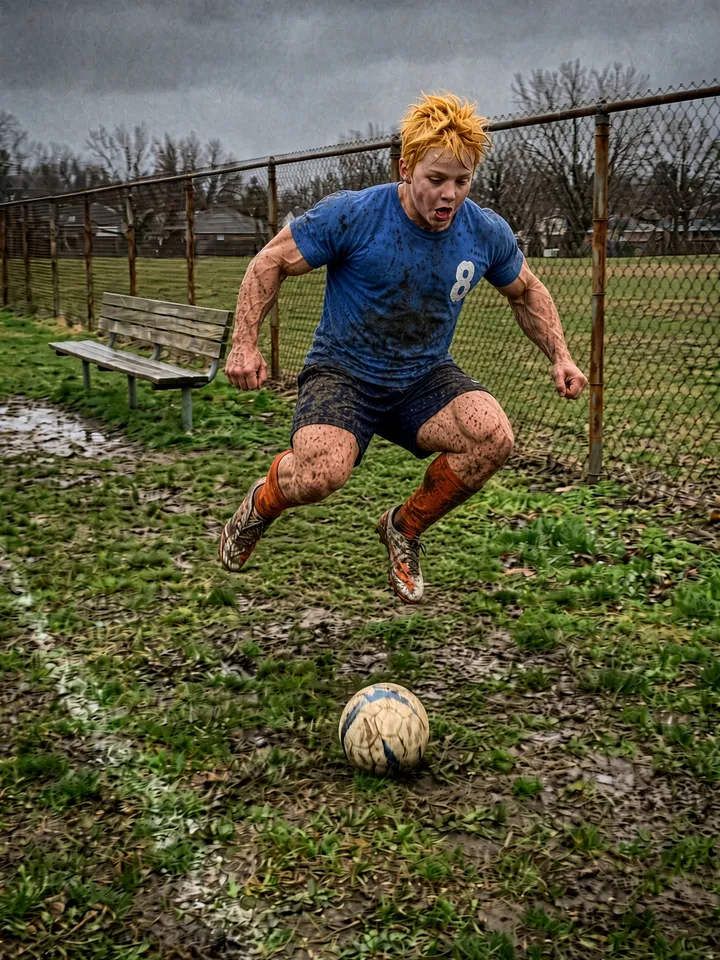
1. this is me on a normal day competing
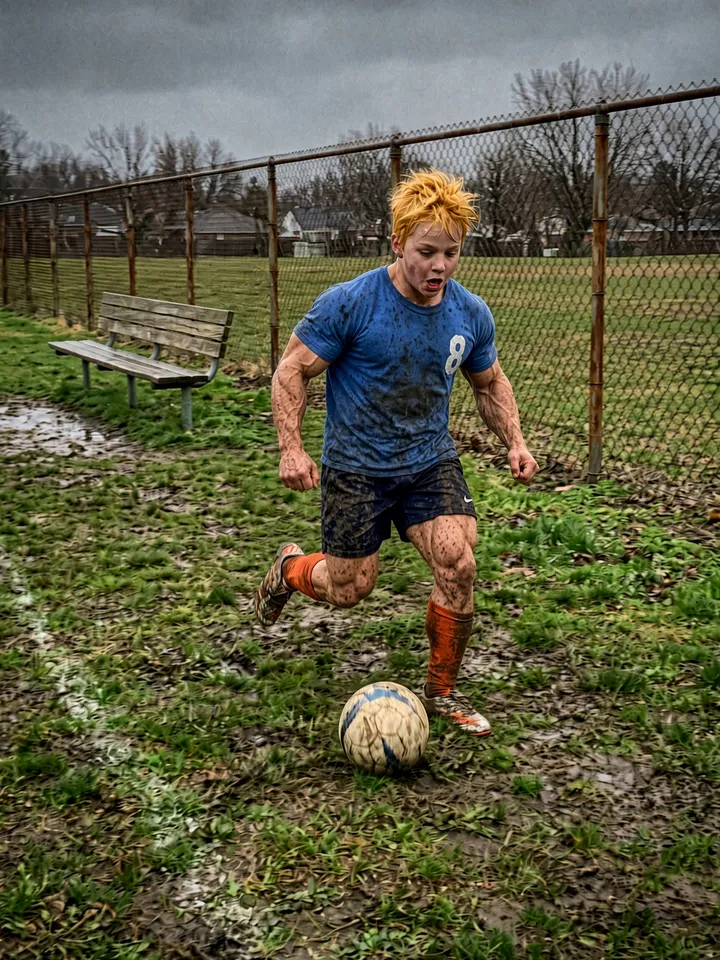
2. ok i lied, i can't jump that high
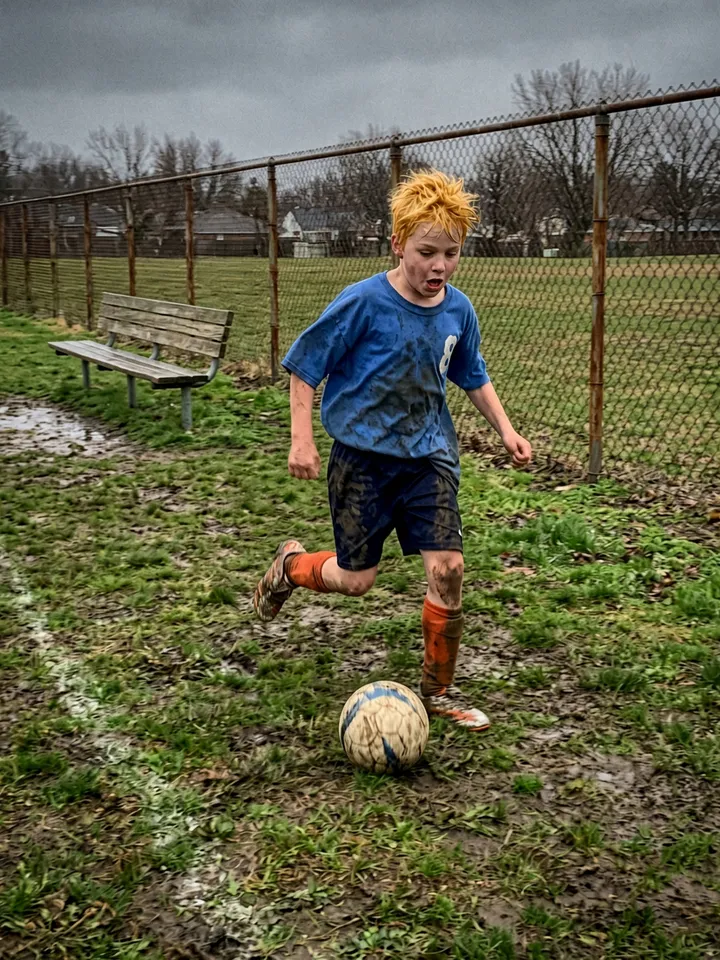
3. i'm not that strong either
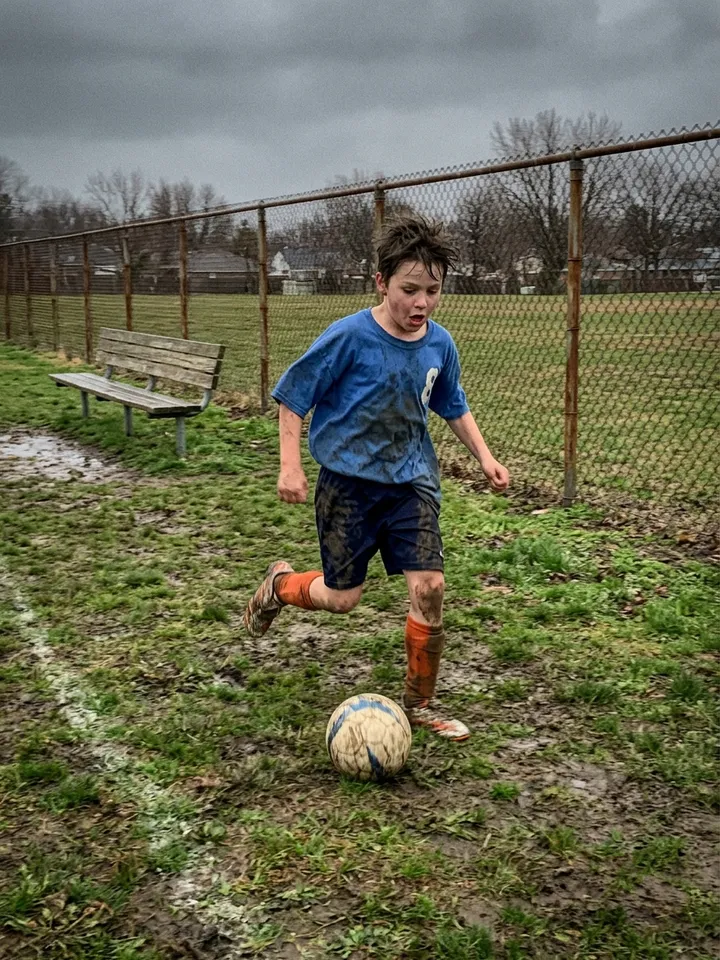
4. i'm so sorry
To change a line, open the finished set and tap "✎ Edit the words on your slides": you can rewrite every line but the last and move each one up or down the slide, then save again with no new credits.
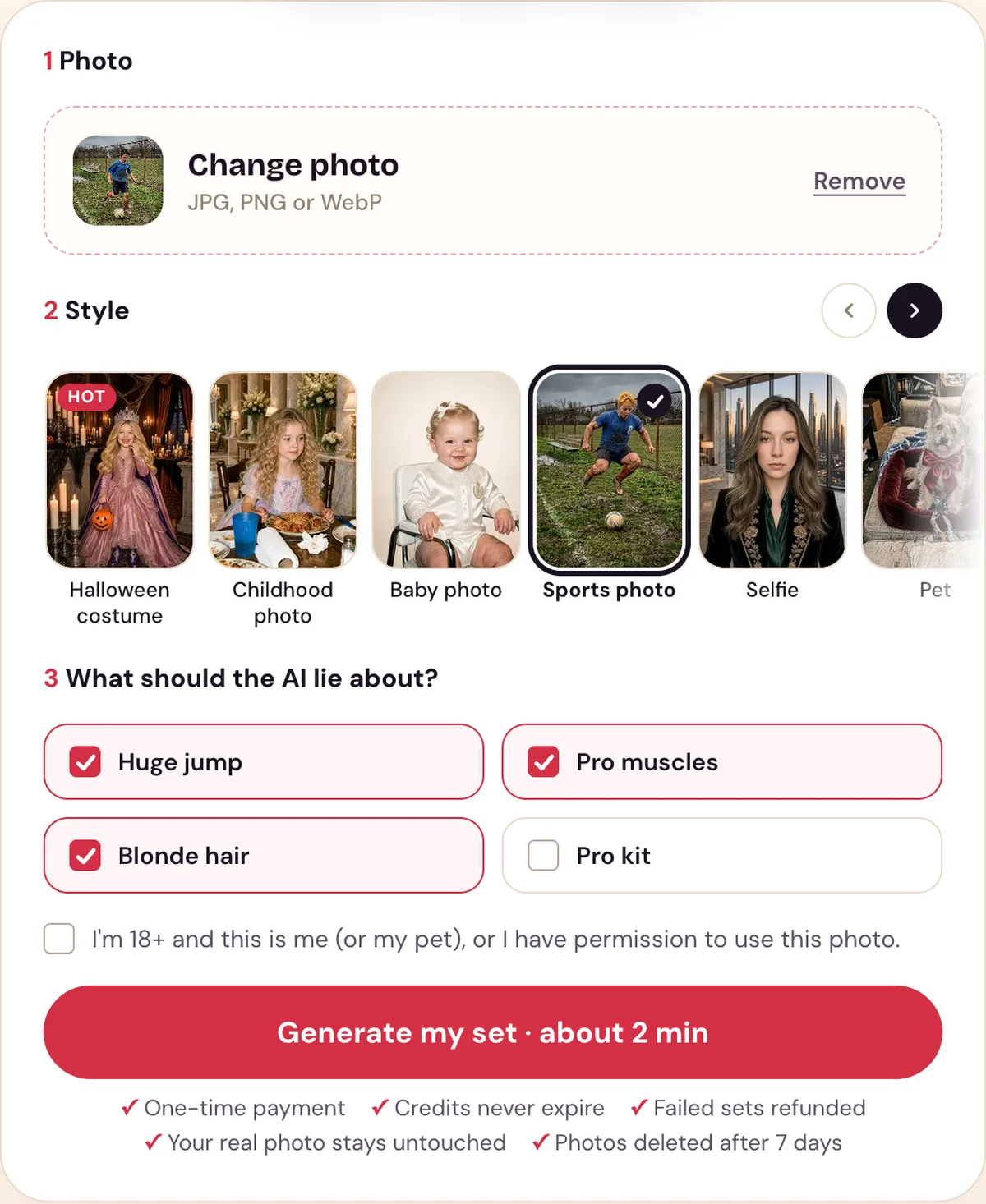
The Sports photo style with its lies ticked. The photo is an AI-made test photo.
Which photo works best
- One player, mid-action. A clear photo of you playing, face visible, at least 300 pixels on the short side, in JPG, PNG or WebP.
- An ordinary game. A muddy field and an empty bench make the last slide.
- Yours to post. A photo of yourself, or of your child if you are the parent or guardian.
Making it by hand
Without a tool made for the trend, you need an AI photo editor that changes a photo from a text request, and TikTok's text tool:
- Upload the photo and ask for one upgrade only, such as a higher jump. Ask it to keep the same face, the same age and the same camera angle.
- Ask for the next upgrade on the picture it just made, and repeat until every lie is on.
- Put the pictures in reverse: the one with every lie is slide 1, your real photo last.
- Add the captions on each slide with TikTok's text tool.
The full steps are in how to do the I'm so sorry trend.
Posting it
Save the slides to your phone. In the TikTok app tap +, then Upload, then Photos, pick the slides in order from slide 1 to the real photo, and add the trend's sound. English posts mostly use "original sound - secret"; Spanish posts use a Harrison guitar sound. Our slides have no sound, so you add it in TikTok. For lines to use, see the I'm so sorry trend captions.
Use it responsibly
- Use a photo of yourself, or of your child if you are the parent or guardian; you must be 18 or older to use our tool.
- Uploaded photos are deleted after 7 days and are used only to make your set.
- Perdon Trend is not affiliated with TikTok or with the creators of the trend's posts and sounds.
Questions people ask
- Can you do the I'm so sorry trend with a sports photo?
- Yes. The sports version is one of the trend's branches: slide 1 is a pro-athlete AI version of your game photo, each next slide takes one upgrade back, and the last slide is the real photo with "I'm so sorry".
- What does the sports version take back?
- On Perdon Trend the Sports photo style takes back a huge jump, pro muscles, blonde hair and a pro kit, in that order. In the first Spanish sports post the slides took back the jump and the hair, then the muscles.
- Which sports work?
- Any action photo: soccer, skating, basketball, a race. The style keeps your face, age and the camera angle.
- Can I use a photo of my kid playing?
- Yes, if you are the parent or guardian and 18 or older. Keep names and team names out of the captions.
Make your sports photo set from one photo.