 Perdon Trend
The short answer. To do the I'm so sorry Halloween trend with two people, start with a photo of both of you or upload two individual photos on Perdon Trend. Pick Halloween duo and a costume pair. The first slide shows the dressed-up version; the next slides take the hair, costumes, party and makeup back one at a time. The last slide reveals the photo the set started from. A set starts from $5.99.
Updated October 29, 2026.
The Halloween joke works with two people, too
The original Halloween costume version makes an old costume look impossibly polished, then admits what it really looked like. The duo version puts two people in the same joke: perhaps you remember being a glamorous fairy and a scary cat, but the photo tells a more ordinary story.
In one TikTok post, two sisters recall dressing as Dracula and “Draculia.” It had about 2.7 million likes when we checked on October 29, 2026; that figure describes the individual post.
One photo together or two separate photos
Choose whichever you have:
- One photo of both people: upload the picture in the first photo slot and leave the optional second slot empty. That picture is the last slide.
- Two individual photos: upload the person you want on the left first, then the person you want on the right. The tool combines them into a photo of the two people before it makes the set; the combined photo is the last slide.
For either route, use clear photos where the faces are visible. JPG, PNG and WebP work; the short side needs to be at least 300 pixels. The model is asked to keep each person's face and position, but check both people in the finished pictures: AI can change details.
The two-upload option is useful when you have individual pictures but no picture together. If you want the ending to show an actual moment you shared, use a photo taken together instead.
Pick the pair and make the slides
- Open Halloween duo and upload your photo or photos.
- Choose Our costumes, upgraded to build on costumes in the picture, or pick Vampire duo, Witch duo, or Fairy & cat. For Fairy & cat, the person on the left is the fairy and the person on the right is the cat. If someone has no costume in the photo, the “Our costumes” option asks for a classic vampire for that person.
- Choose the details you want to exaggerate. The four available lies are perfect hair, movie-quality costumes, a fancy party and professional makeup. With all four selected, the set has 5 slides.
- Generate the set, look through both people's faces and the reveal order, then save the slides. Open the editor if you want to change the wording or move it on a slide.
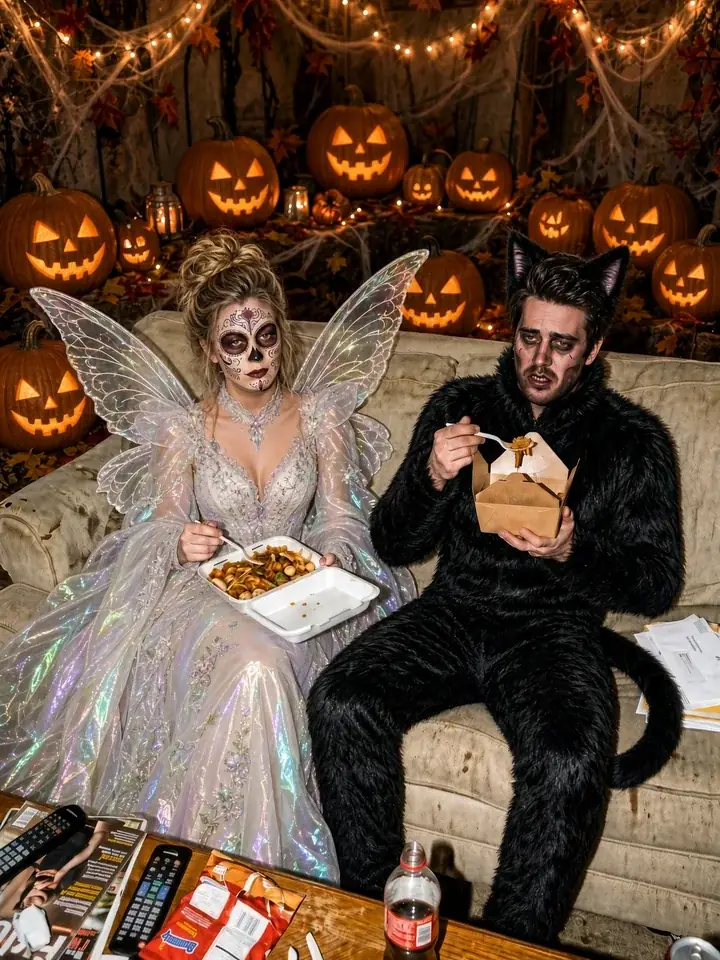
1. this was our halloween costume
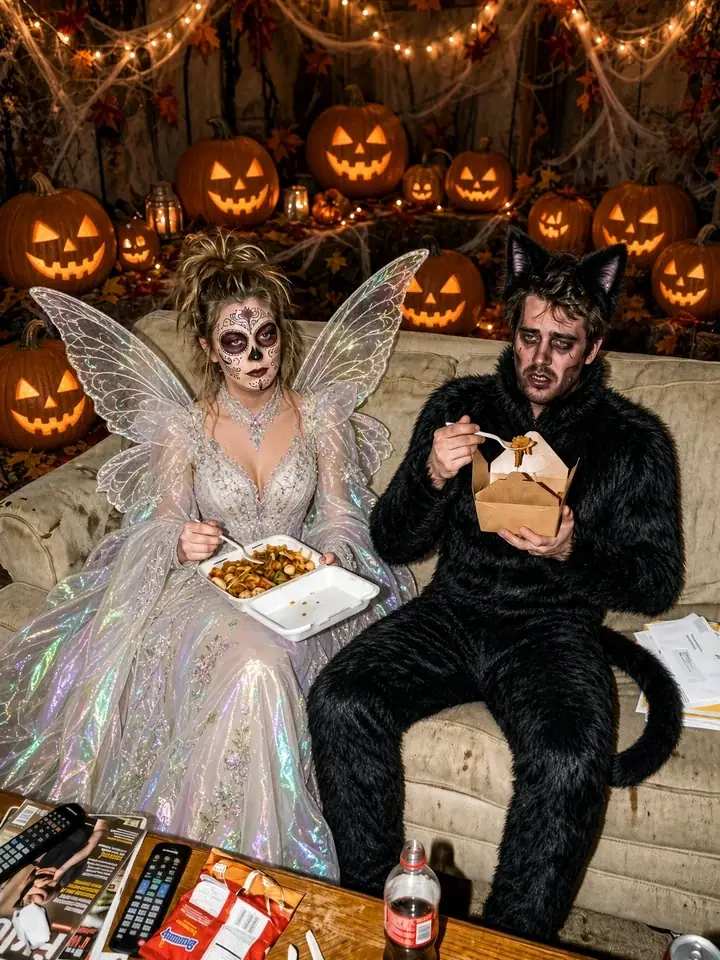
2. ok sorry, our hair wasn't that good
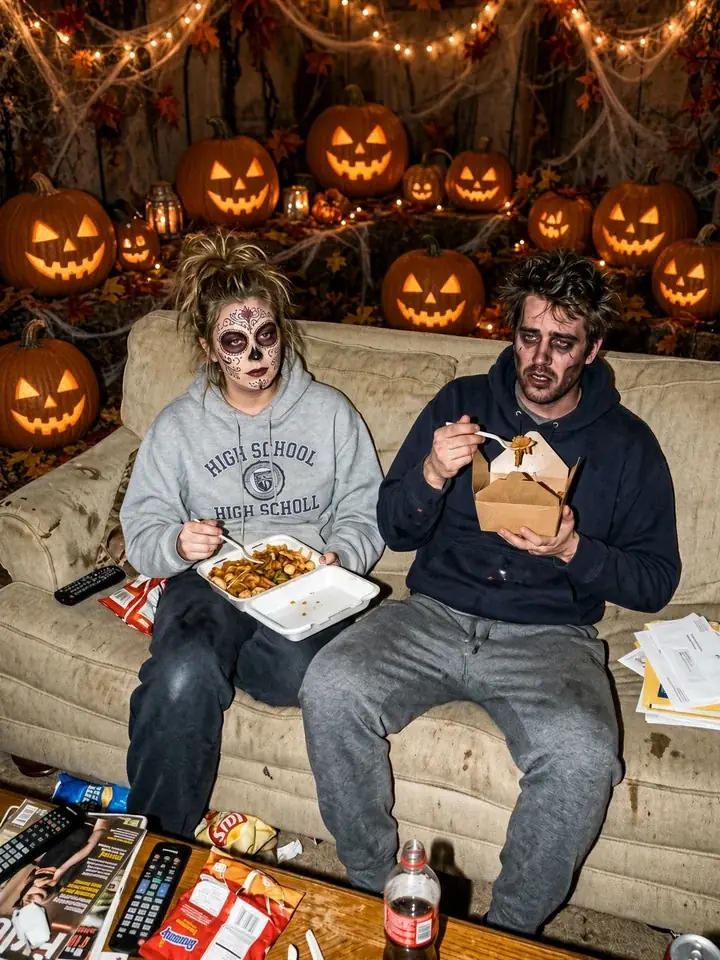
3. our costumes weren't that fancy either
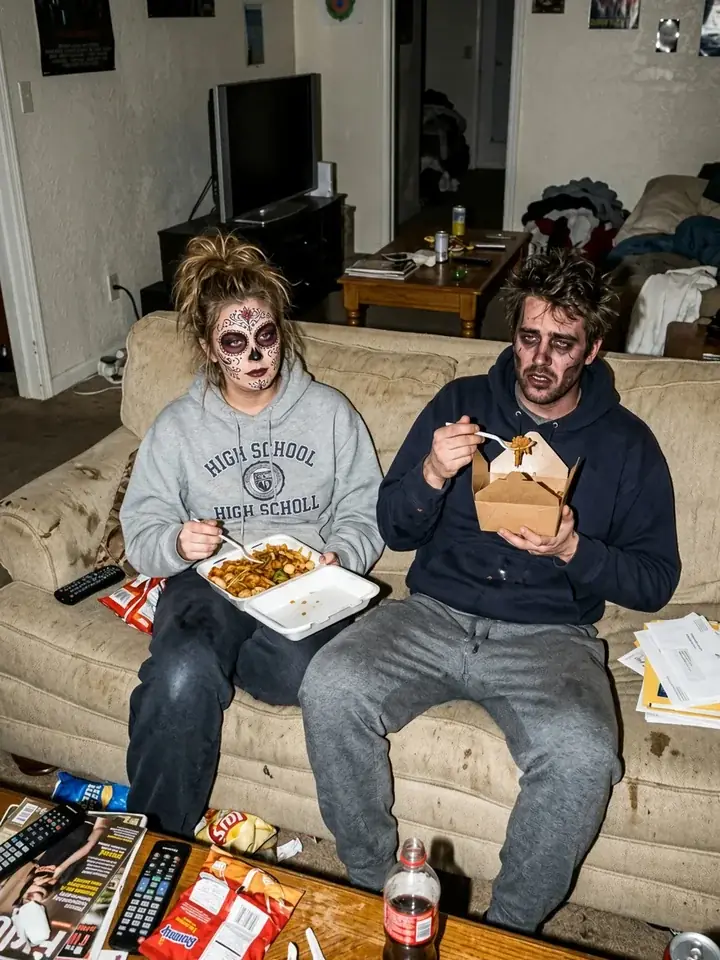
4. and it wasn't a fancy party
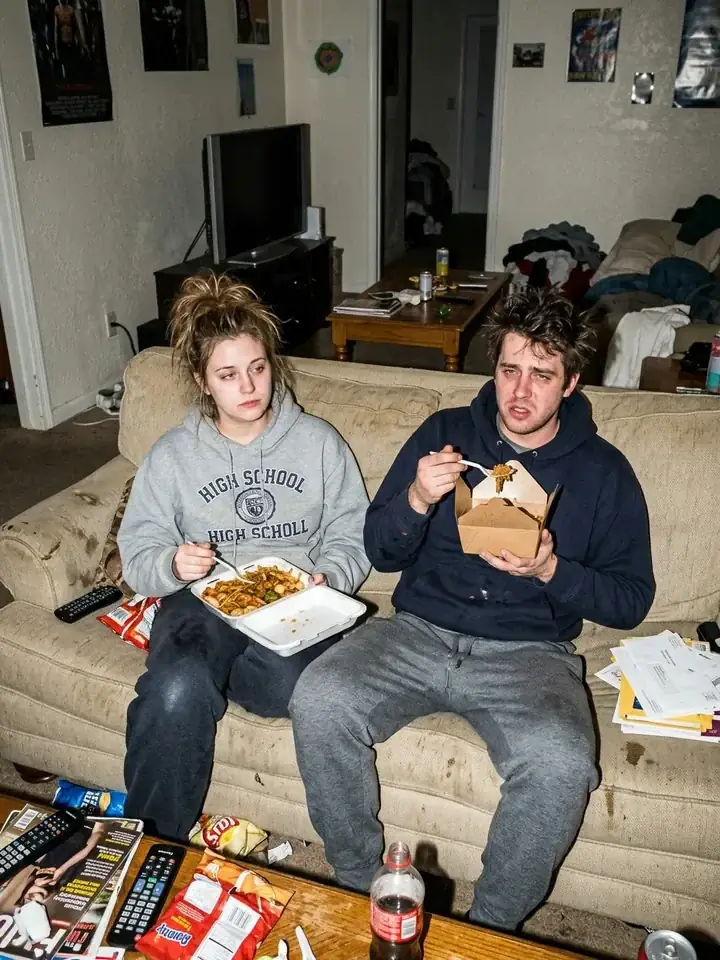
5. i'm so sorry
The sample uses the built-in captions. Yours begin with “this was our halloween costume”; each following line takes a detail back, and the closing line is “i'm so sorry.” You can change the editable lines to fit a friend, partner, sibling or cousin. For more ideas, see the caption guide.
How to make the reveal land
Pick a costume pair that makes sense for your photo. Two matching vampires make a different joke from a fairy beside a cat. If you upload individual portraits, choose their order before generating: that order tells the tool where to put each person.
Look at the full sequence, not just the first slide. A funny reveal depends on the contrast being readable when someone swipes: the party decorations, polished costume or makeup should feel like an upgrade over the starting picture. If a face or position changes unexpectedly, try clearer photos and check the result again.
A shared costume photo gives you a starting point for the captions: pick the detail you want to exaggerate, then admit what was different. For a non-costume version, see our guides to siblings photos and couple photos.
Post the carousel
Save the slides and upload them to TikTok as photos in order, beginning with the most polished image. The slides do not include audio; add the sound in TikTok. English posts of the trend use “original sound - secret”; the sound guide explains how to find it.
Use photos of people who agree to participate and share the result. You must be at least 18 to use the tool. Uploaded photos are deleted after 7 days. Perdon Trend is not affiliated with TikTok or with the creators of the trend's posts and sounds.
Questions people ask
- Can two people do the I'm so sorry Halloween trend together?
- Yes. Choose Halloween duo on Perdon Trend and upload either one photo of both people or two individual photos. The set begins with an embellished costume scene and takes one detail back per slide.
- Do we need a photo together?
- No. You can upload two individual photos. The tool combines them into a photo of the two of you before making the slides; the first person is placed on the left and the second on the right.
- Which costume pairs can I pick?
- The Halloween duo style offers Vampire duo, Witch duo, Fairy & cat, and Our costumes, upgraded. In Fairy & cat, the fairy is on the left and the cat is on the right.
- Can I change the words on the slides?
- Yes. After the set is made, open the editor to change the captions except the closing line and adjust where they sit on the slides.
Make a Halloween duo set with one photo together or two individual photos.