 Perdon Trend
The short answer. The AI tools for the I'm so sorry trend differ mostly in what they hand you. MakeViral and Media.io make one perfected photo at a time with no caption, so you build the carousel and type the lines in TikTok yourself. Kavel makes a 12-second video that wipes the perfect version back to the real photo, also without captions. Our site, Perdon Trend, makes the whole carousel from one photo, every slide with its caption on, from $2.99 paid once. Pick a one-photo editor if you want to write your own slides, Kavel if you want a video rather than a photo post, and a whole-set tool if you want to post right away.
Updated October 21, 2026. We run one of these tools, Perdon Trend, so read this with that in mind. Everything about the other tools comes from their own pages as we read them on October 21, 2026. Prices and limits change, so check before you pay.
Two kinds of tools
The trend is a carousel: an AI-perfected version of a photo first, one lie taken back on each next slide, and the real photo with "I'm so sorry" last. Tools split on how much of that they make.
- One picture or one clip. You get the perfect version (or a video of it falling apart). The middle slides, the captions and the order are up to you.
- The whole set. You get every slide, from the AI version to the real photo, with the lines already on them.
The tools side by side
| Tool | What you get | Captions on it | Price (from its own page) |
|---|---|---|---|
| Perdon Trend (this site) | The whole carousel: one slide per lie (up to 4) plus your real photo, 1080 × 1440 JPEGs | Yes, preset lines you can edit; the last always says "I'm so sorry" | 1 set for $2.99, 3 sets for $5.99, and 8 sets for $9.99; paid once, no free trial |
| MakeViral | One 2K vertical (9:16) photo per run, from four templates: You, Pet, Halloween costume, Pet costume | No | 3 credits a photo; smallest pack $9.99 for 100 credits, paid once |
| Kavel | One 12-second vertical video: the perfect version first, then wiped back to your real photo | No | Packs from $9.99 (1,000 credits); a 480p clip is 430 credits, 720p is 925; first purchase half price; no subscription |
| Media.io (Spanish page) | One perfected photo per effect | No | Subscription; no price on the page |
| By hand | Whatever your AI photo editor makes, one edit per slide | You type them in TikTok | What your editor charges |
Each one in a sentence or two
- Perdon Trend. One photo in, the whole carousel out, captions on, in about 2 minutes. Five styles: Halloween costume, Childhood photo, Sports photo, Selfie and Pet. The slides have no sound; you add it in TikTok.
- MakeViral. A one-click template with a page that explains the trend at length and publishes its prompts with copy buttons. Credits come back if a photo fails.
- Kavel. The only one here that makes a video. You can keep its default lie or pick another, and you add the captions when you post.
- Media.io. English and Spanish pages. Its FAQ says it does not put the four-photo set together; you assemble it in TikTok or CapCut.
- By hand. Any AI editor that changes a photo from a text request can do it if you ask for one change at a time. Our how-to guide has the steps and what tends to go wrong.
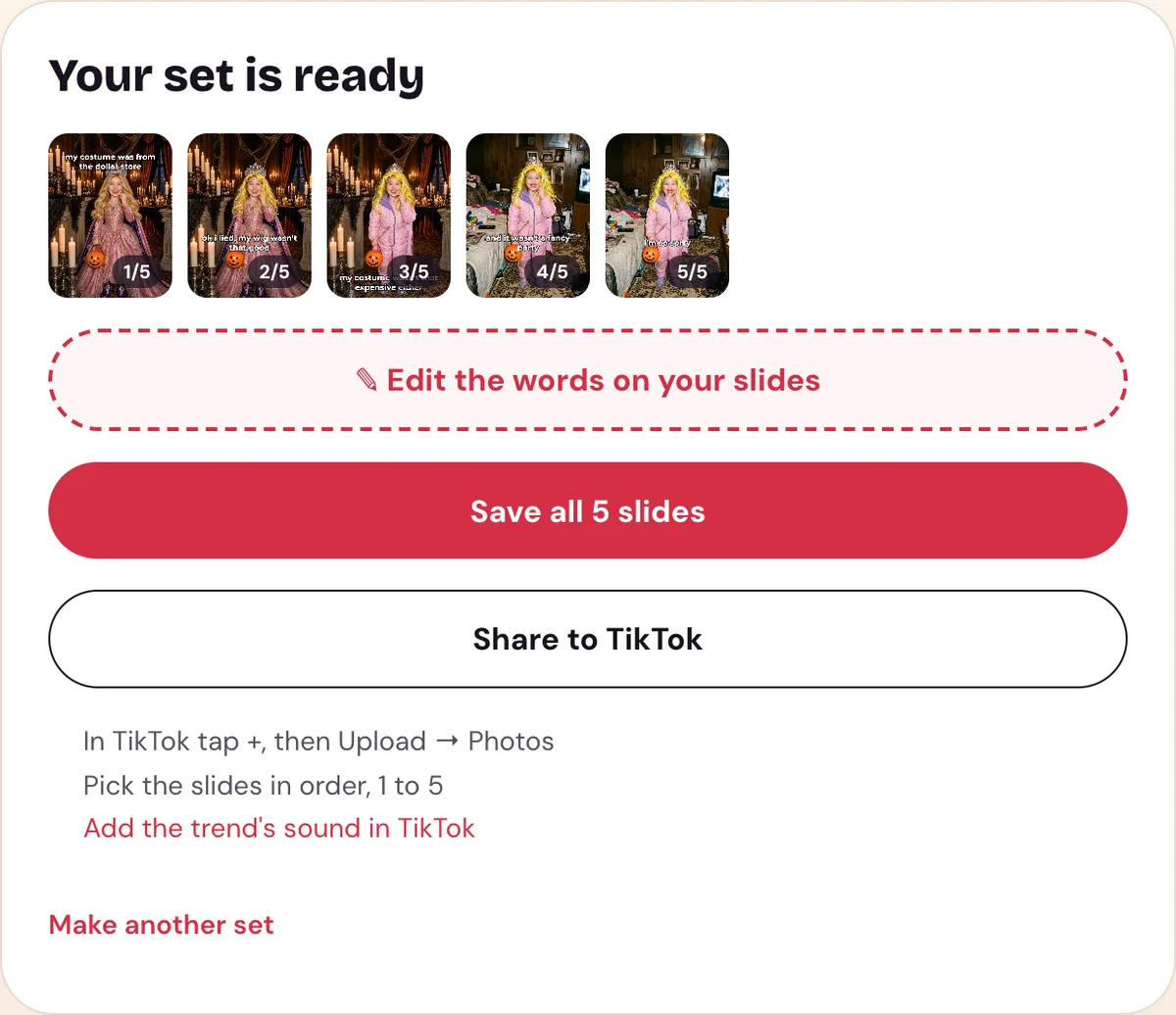
A finished set on our site: every slide already captioned, saved together in one tap.


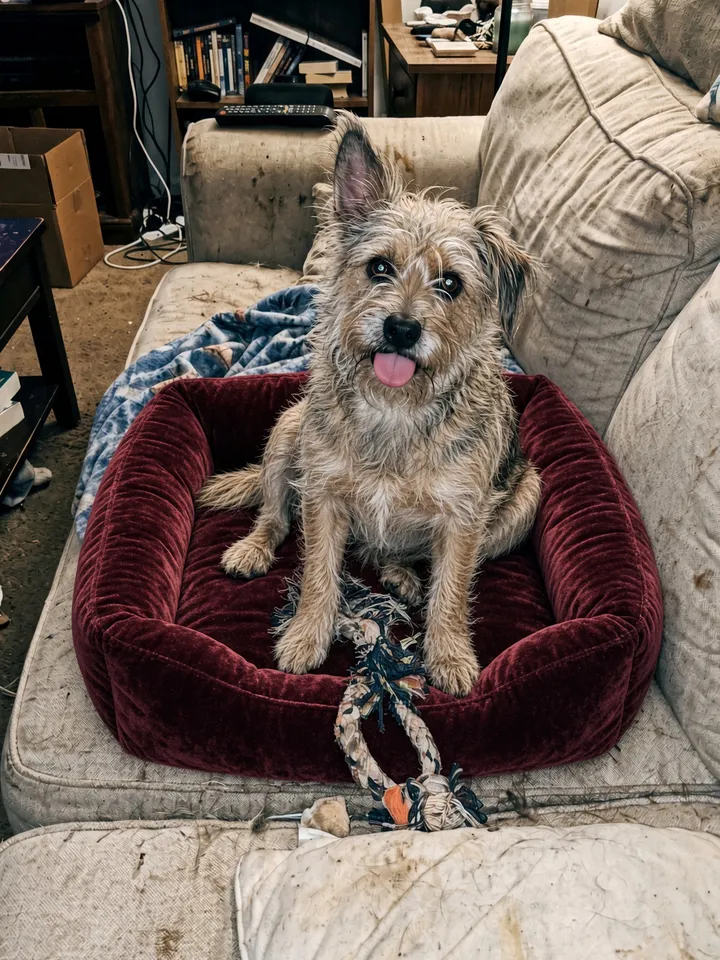


What a whole-set tool hands back: a Pet set from our site, grooming, bow, bed and pose taken back one slide at a time. Shown here without the captions; it starts from an AI-made test photo.
How to choose
- You want to write your own middle slides and captions: a one-photo editor such as MakeViral or Media.io, then build the carousel in TikTok.
- You want a video instead of a photo carousel: Kavel.
- You want the carousel ready to post, captions on, from one photo: a whole-set tool such as Perdon Trend.
- You want it to cost nothing extra: do it by hand with the editor you already use.
Whichever you pick, use a photo of yourself, your own pet, or one you have permission to use, and leave celebrities out. Perdon Trend is not affiliated with TikTok, MakeViral, Kavel or Media.io.
Questions people ask
- Is there a free I'm so sorry trend app?
- None of the sites we found calls itself free. MakeViral and Kavel sell credit packs (Kavel's page also mentions a sign-up bonus; we did not check what it covers), Media.io sells a subscription, and Perdon Trend sells one-time packs with no free trial. Doing it by hand costs only what your photo editor charges.
- Do you need an app for the I'm so sorry trend?
- No. All four sites run in a browser. You need the TikTok app at the end either way: a carousel is posted from the app with +, then Upload, then Photos, picking the slides in order.
- Which tool makes the whole carousel with the captions on?
- Of the tools we compared on October 21, 2026, Perdon Trend is the one that makes every slide with its caption on it. MakeViral and Media.io make one photo at a time and Kavel makes a 12-second video, all without captions.
Make your I'm so sorry set from one photo.